


Nielsen Pulse
0.00.00 Reviews
App Specs
- Version
- Confluence1.0.6
- Updated On
- License
- Free
- Downloads
- 500,000+
- Developer
- Nielsen Streaming Panel
- Categories
- Tools
- Platform
- Android
Screenshots
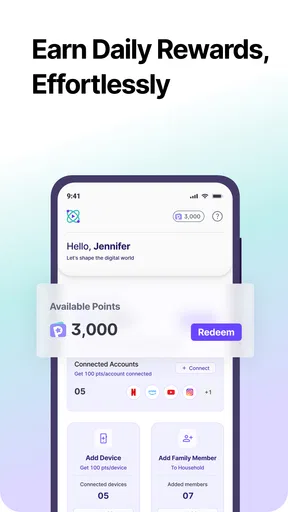
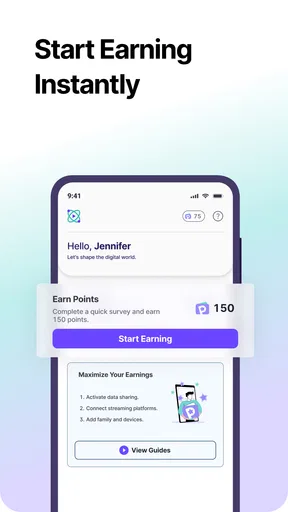
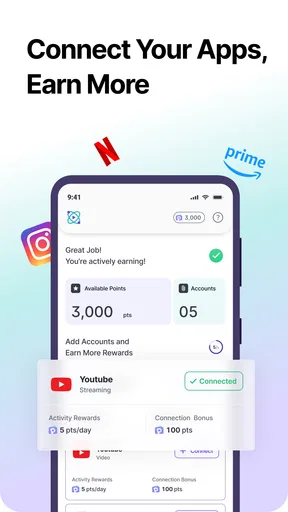
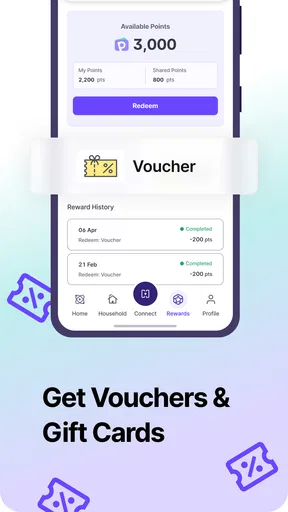
 Analysis by AppCompare
I approached Nielsen Pulse less like a traditional utility and more like a background participation app: its purpose is to let Nielsen Streaming Panel collect valuable usage data while giving participants rewards in return. That makes it a very different kind of tool from a file manager, password vault, or phone cleaner. You are not installing it to change how your phone works; you are installing it because you are comfortable contributing information through a research panel.
That distinction matters. The app is free, aimed at Everyone, and sits in the Tools category, but its usefulness depends almost entirely on whether you want to join this kind of panel. In my view, the strongest reason to try it is straightforward: it offers a simple way to take part in Nielsen Pulse without paying an entry fee. The main trade-off is equally clear: the reward comes in exchange for participation and data contribution, so anyone who is highly cautious about monitoring or research programs should think carefully before signing up.
How Nielsen Pulse feels in its current state
The current release is identified as Confluence1.0.6, and the app was released on Apr 14, 2026. Those details place it at an early point in its visible product history, so I would treat the present version as a starting point rather than a mature, feature-heavy tool. The developer is Nielsen Streaming Panel, which also tells you what kind of experience to expect: this is built around panel membership, not around a broad collection of everyday phone utilities.
Its store presence shows over 500 thousand installs, which suggests that the concept has reached a meaningful audience. Still, install volume should not be confused with personal usefulness. A large number of participants may indicate that people are willing to join, but it does not automatically mean the app will suit someone who wants immediate controls, detailed reports, or a conventional productivity feature.
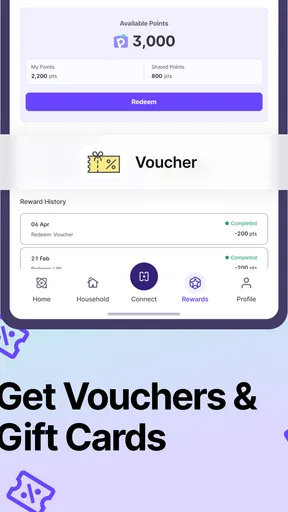
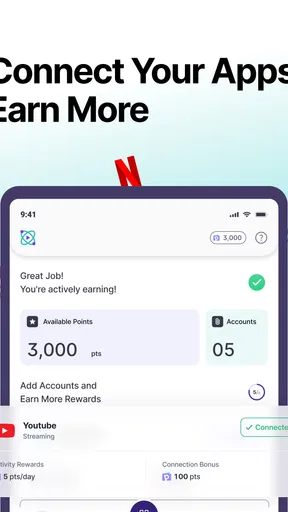
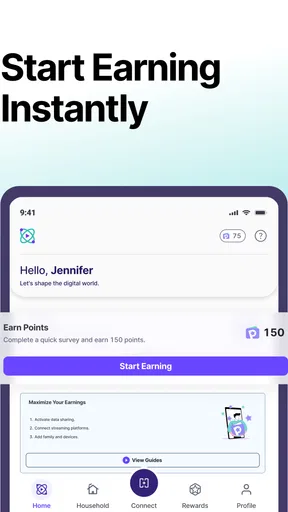
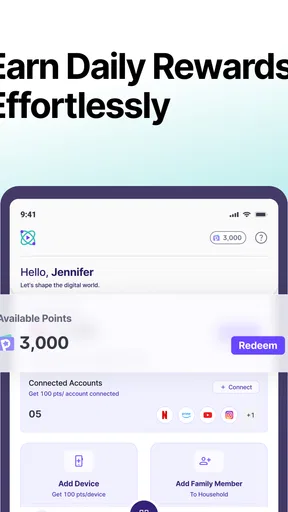
When I judge an app like this, I look first at the clarity of the exchange. Nielsen Pulse presents a simple arrangement: you provide valuable data and earn rewards. That is easier to understand than an app that hides its purpose behind a vague promise of personalization. At the same time, the practical value is not measured by how many buttons the interface has. It is measured by whether joining, staying enrolled, and receiving rewards feel worthwhile to you.
A realistic everyday scenario would be a person who already uses streaming services regularly and is willing to participate in audience research. They install Nielsen Pulse, review the enrollment information, decide whether the arrangement fits their privacy comfort level, and then leave it as part of their panel participation. This is not an app I would open repeatedly during the day. Its role is closer to an ongoing membership tool than a destination for active phone use.
The important question before installation
Before downloading, I would ask myself one practical question: am I looking for a reward-based research panel, or am I expecting a tool that improves my device? If the second answer is true, this app will probably disappoint. It does not belong in the same mental category as storage management, note-taking, battery analysis, or automation apps, even though all of them may appear under Tools.
Worth Reading Before You Choose

EA SPORTS FC Mobile 26 Is a Bigger Football Game, but It Takes Time

Flipboard Shows What News Apps Must Do Beyond the Feed

Switching to Android Auto Means Rethinking Your Driving Routine

Google Calendar Makes a Crowded Week Easier to Manage

Ludo King Makes the Most of the Minutes Between Plans

Baby Panda World Brings Quick Play to Modern Phones, but Its Game Library Feels Busy
If the first answer is true, the free price removes one obvious barrier. You are not paying for access, which makes it easier to evaluate the experience on its own terms. I would still read the participation screens carefully rather than tapping through them automatically. With a panel app, the enrollment explanation is part of the product experience, not a minor formality.
The Everyone content rating also makes the app broadly approachable from an age-classification perspective. That does not eliminate the need for personal judgment about data sharing. An age rating explains who the app is suitable for in general terms; it does not replace your own review of the participation conditions.
What the current version tells us
Confluence1.0.6 is the version I would use as the baseline when deciding whether to join now. The version name is useful because it gives existing users a clear reference point when checking whether their installation is current. It also provides a sensible way to discuss future changes: improvements should be judged against this release rather than against assumptions about what a panel app might eventually become.
The visible product identity is focused and narrow. That is a strength when you want a dedicated Nielsen Streaming Panel experience without unrelated tools cluttering the screen. It is a weakness if you expect a dashboard packed with customization, detailed controls, or several independent ways to earn rewards. I prefer this narrow focus to unnecessary feature bloat, but only when the enrollment and reward process are easy to understand.
One subtle advantage of a focused panel app is that it can be easier to keep separate from your personal productivity tools. I would not mix it mentally with banking, work, or health apps. Keeping that separation helps me evaluate it on the right basis: participation value, transparency, and convenience rather than speed or creative features.
How it compares with the usual alternatives
The closest alternatives are not really competing utility apps. They are other survey panels, market-research programs, and reward services that ask users to answer questions or share information. Compared with a one-off survey, Nielsen Pulse appears more suited to an ongoing relationship with a panel. That can be more convenient for someone who dislikes repeatedly searching for individual surveys, but it may feel less flexible to someone who wants to participate only when a task appears.
Compared with a standard rewards app, the key difference is the source of the value. A typical rewards service may center on offers, purchases, or completed questionnaires. Nielsen Pulse is framed around providing data as part of a streaming-focused panel. That makes it potentially more relevant to people who want their viewing-related behavior represented in research, while a general rewards app may be better for someone who wants a wider variety of activities.
I would also distinguish it from a privacy-focused utility. A privacy tool usually helps you inspect, restrict, or manage data collection. Nielsen Pulse has the opposite basic direction: participation involves contributing data to a research program. Neither approach is automatically right for everyone. If your priority is reducing data sharing, a privacy utility is the more natural choice. If your priority is joining a panel and receiving rewards, Nielsen Pulse is the more relevant option.
What existing users should expect from the product’s evolution
Because the current release is still a relatively early reference point, I would watch for improvements that make participation clearer rather than simply adding decorative features. For this type of app, the most meaningful progress would be easier enrollment explanations, a more understandable view of participation status, and a straightforward way to see how rewards are progressing. Those are expectations about useful direction, not claims that these features are already present.
Existing users should approach updates with a practical mindset. A new version can change the flow of sign-in, panel confirmation, reward information, or background participation. Whenever the app updates, I would briefly revisit the screens that explain what is being collected and how the reward arrangement works. That habit is worthwhile because an app’s purpose can remain the same while its user journey changes.
There is also a trade-off between a quiet experience and visible feedback. A panel app that stays out of the way may be convenient, especially for people who do not want constant prompts. However, too little feedback can leave users unsure whether they are still enrolled or whether their participation is being recognized. If Nielsen Pulse evolves well, it should preserve the low-effort nature of the concept while making important status information easy to find.
Three practical habits that improve the experience
My first tip is to treat the enrollment screens as a decision point, not as an obstacle. Read the explanation of participation before accepting it, and make sure the exchange feels fair to you. This is more important here than it would be with a simple calculator or flashlight because the app’s central purpose involves your data.
My second tip is to keep expectations about rewards realistic. The app’s appeal is that participation can earn rewards, but I would not install it assuming it will function like a dependable income source. Think of rewards as the benefit attached to panel involvement, not as a guaranteed replacement for paid work. That mindset prevents the most common disappointment with reward-based services.
My third tip is to check the app deliberately after installation rather than forgetting it completely. A quick periodic review can help you notice whether your panel status, account details, or reward information still match what you intended. This is especially useful for a background-style experience, where the app may not demand frequent attention and can otherwise become invisible.
A fourth useful habit is to separate device troubleshooting from panel troubleshooting. If your phone behaves differently after installing any background participation app, do not assume the cause immediately. First review the app’s own participation settings and account state, then compare the phone’s behavior with the period before installation. That method is more reliable than guessing, and it helps you decide whether the convenience is worth continuing.
Where the experience may feel limited
The narrow purpose is the biggest limitation. Nielsen Pulse is not designed to give you a rich set of interactive tools, so people who want an app they can actively use every day should look elsewhere. Its value depends on the panel arrangement, which means the experience may feel passive compared with survey apps that constantly present new tasks or utility apps that provide immediate results.
There is also an attention cost, even when the app itself is simple. You need to understand the participation terms, remain comfortable with the data exchange, and keep track of the reward side of the arrangement. For some users, that is a reasonable effort. For others, the reward will not justify the extra account or privacy decision.
I would skip it if you dislike research panels in principle, if you want complete control over when an app collects information, or if you are searching for a tool that delivers a direct improvement to your phone. I would also skip it if you tend to install reward apps impulsively and never review their conditions. In that situation, the problem is not the interface; it is that the product model does not match your habits.
On the other hand, I can see the appeal for a household that already follows streaming content and wants to contribute to audience research without paying to participate. The free price makes experimentation relatively easy, and the focused identity avoids the distraction of unrelated offers. The right user is someone who values a clear panel purpose more than a large feature list.
Questions I would resolve before staying enrolled
The first question is whether participation is worth the reward for your own privacy comfort level. There is no universal answer. I would make that decision before spending time customizing anything, because the central trade-off cannot be solved by a nicer interface.
The second question is how much attention the app requires over time. A good experience for me would be one where the initial setup is clear and ongoing participation does not become a stream of interruptions. If the process demands more manual checking than expected, a simpler one-off survey service may suit you better.
The third question is whether the reward information is easy for you to understand. Even when a panel is legitimate and the purpose is clear, uncertainty about progress can make the experience feel unrewarding. I would look for a simple explanation of what counts as participation and how rewards are handled, then decide whether the visibility is sufficient for my needs.
The fourth question is whether the app fits your phone habits. Someone who keeps a tightly controlled device with minimal background activity may prefer not to add a panel app at all. Someone who is comfortable with research participation may find the ongoing arrangement less intrusive than repeatedly completing individual surveys.
What I would watch in future releases
For future updates, I would pay attention to clarity before novelty. Better explanations, cleaner account management, and more direct reward status information would matter more to me than extra screens or unrelated features. Those changes would improve confidence without changing the app’s focused identity.
I would also watch how Nielsen Streaming Panel handles the balance between quiet participation and useful feedback. Users need enough information to trust that their enrollment is active, but they do not necessarily want constant reminders. The best evolution would make important events visible while keeping ordinary participation unobtrusive.
Finally, I would compare each update with my original reason for installing the app. If I joined to participate in Nielsen Pulse and earn rewards, any new feature should support that goal. If an update makes the app feel more like a general rewards marketplace, it may become less distinctive. The product has a clearer identity when it remains centered on panel participation.
My overall view is cautiously positive for the right audience. Nielsen Pulse is a focused participation app, not a conventional phone utility, and that makes the decision unusually personal. I like the direct concept, the free entry, and the fact that its purpose is easy to summarize. I am less enthusiastic for anyone who expects active tools, guaranteed financial value, or a privacy-first experience.
With its current version, Confluence1.0.6, the sensible approach is to install it only if you understand the exchange and genuinely want to join a streaming research panel. Give the enrollment information your full attention, keep your reward expectations modest, and review your participation from time to time. If those conditions fit you, Nielsen Pulse can be a reasonable way to turn ordinary media habits into panel participation. If they do not, a conventional utility or a more flexible rewards service will be the better choice.
Pros
- Tracks viewing habits automatically with minimal user effort.
- Works across supported devices for broader media measurement.
- Passive data collection avoids the need to log every activity manually.
- May offer rewards or incentives for participating in surveys.
- Simple background operation with little impact on daily usage.
Cons
- Availability and eligibility can vary by country or research panel.
- Requires sensitive usage and device data for measurement purposes.
- Background tracking may increase battery or mobile data consumption.
- Rewards may be limited and take time to accumulate or redeem.
- Some users may find enrollment and panel requirements restrictive.
FAQs for Nielsen Pulse
What is Nielsen Pulse, and what does it do?
Nielsen Pulse is a market research application designed to collect information about how people use digital media and connected devices. Depending on the study you join, it may measure app usage, browsing activity, viewing habits, or general device behavior. The app normally works in the background and sends selected usage data to Nielsen in exchange for participation rewards or other incentives.
Is Nielsen Pulse safe to install and use?
Nielsen Pulse is generally presented as a legitimate research tool from Nielsen, a well-known audience measurement company. However, the application may request permissions that are more extensive than those required by ordinary apps because it needs to monitor usage or device activity. Before installing, review the privacy policy, requested permissions, data-sharing terms, and study conditions to decide whether the rewards justify the level of access.
What permissions does Nielsen Pulse require?
The permissions can vary according to the specific Nielsen Pulse program, your country, and whether you use Android or iOS. The app may request access related to usage statistics, device information, network activity, notifications, or background operation. Some versions may also require configuration through a profile, VPN-style connection, accessibility feature, or device management setting, so read each permission explanation carefully before accepting.
Does Nielsen Pulse affect phone performance, battery life, or mobile data?
Because Nielsen Pulse may operate in the background and collect information periodically, it can have a small effect on battery consumption, storage, and mobile data usage. On most modern devices, the impact should be limited, but results can differ depending on the study and monitoring method. If you notice unusual battery drain, overheating, or data usage, check the app settings and contact Nielsen support.
How do rewards work, and can I leave the Nielsen Pulse program?
Rewards depend on the particular Nielsen Pulse panel, your location, and the participation requirements shown during registration. Some programs offer points, gift cards, cash, or other incentives after you remain active for a specified period. You should confirm the payment schedule and eligibility rules before joining. Participation is usually voluntary, and you can normally uninstall the app or withdraw through the panel’s support process.


